
Image Editor
This page covers the image editor built into the builders, configured through unlayer.init. To embed the image editor on its own — outside the builder — see the standalone Image Editor docs.
We have a built-in image editor that can be used to resize, crop or apply effects to images. It's enabled by default but you can disable it if you want. You can also access it by double-clicking on any image.
The image editor and its manual editing tools are free. The optional AI Assistant is a paid feature.
unlayer.init({
  features: {
    imageEditor: {
      enabled: false,
    },
  },
});
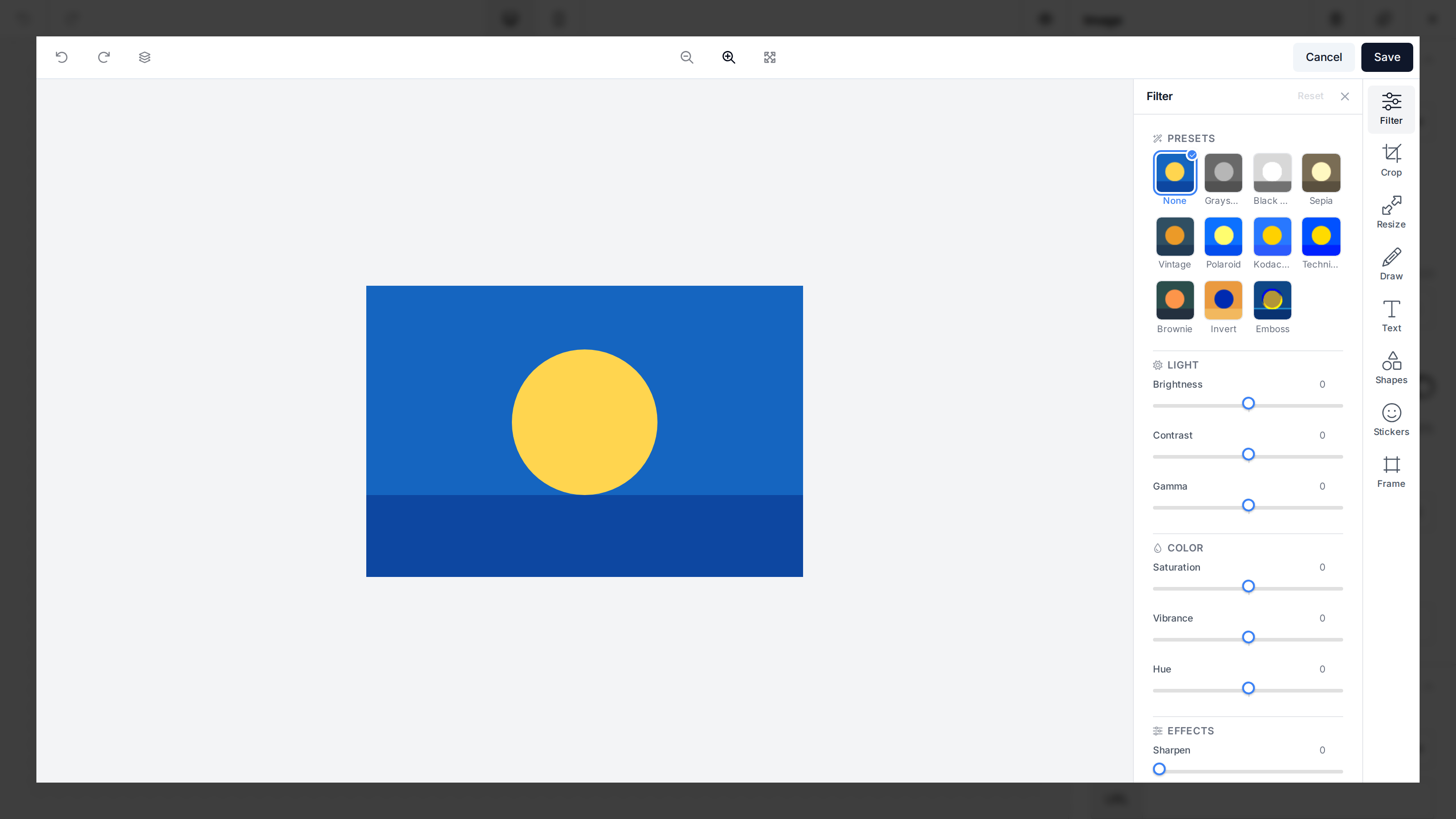
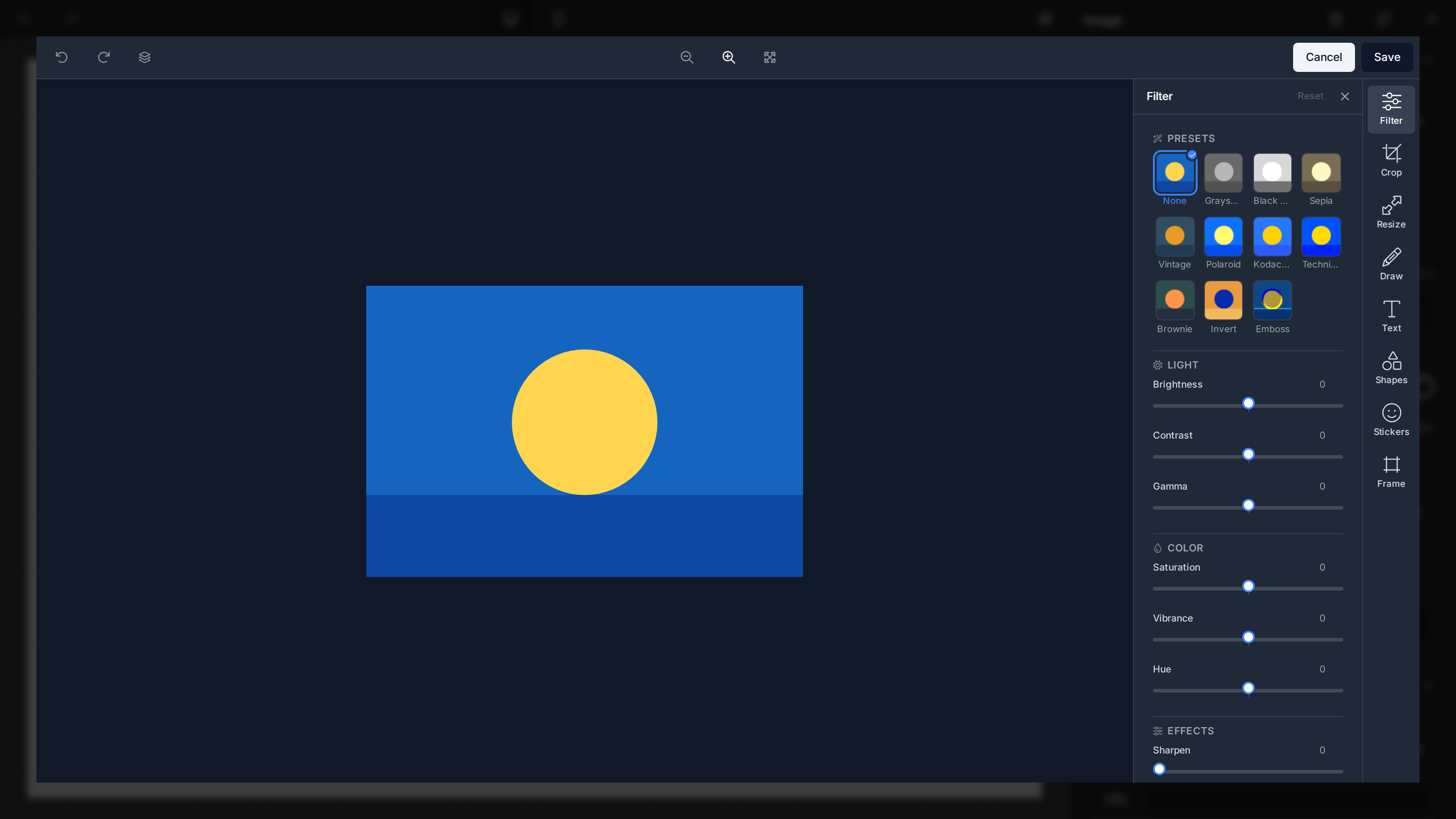
The editor ships a full tool set: Crop (with rotate in 90° steps, flip, a straighten slider for fine-angle rotation, and a corner-rounding radius slider for rounded corners, all built into the same tool), Resize, Draw (brush color/type/size), Text (one-tap style presets grouped into Basic, Handwriting, and Effects, a bundled font library picked from a dropdown that previews each face, and font, color, background, outline, and shadow controls; double-click the text on the canvas to edit it), Shapes (circles, rectangles, arrows, stars, and more, grouped into Filled, Outline, and Gradient palettes with search, plus drag/resize/rotate, flip, duplicate, and per-shape color, opacity, outline, and shadow controls), Stickers (a bundled sticker library — emoticons, doodles, landmarks, and more — with search and per-category browsing; single-color stickers in the doodles, landmarks, beach, and transportation categories can be recolored and given an outline or shadow after adding), Frame (9 preset frames with an adjustable size and a color picker for the basic frame), and Filters (one-tap presets like Sepia, Vintage, or Polaroid plus adjustment sliders for brightness, contrast, saturation, vibrance, hue, gamma, blur, pixelate, and noise), alongside the AI Assistant. When the AI Assistant is available it leads the tool rail and its chat panel opens automatically when the editor loads.
The tools appear as a vertical tab rail with a properties panel that opens beside it when a tool is selected. Changes persist automatically — closing a tool's panel, switching to another tool, or saving commits its pending edits, and undo/redo reverts or restores them. There is no separate Apply/Cancel step. The AI Assistant behaves like any other tool — its chat opens in the same panel slot. By default the rail docks to the same side as the builder's own tools panel (appearance.panels.tools.dock, which defaults to the right edge), so the image editor stays visually consistent with the rest of the editor; set dock to 'left' or 'right' to override it for the image editor specifically.
Text, shapes, stickers, and drawings are a live, re-editable layer on top of the photo: they stay selectable after you switch tools or close a panel. Click an object on the canvas at any time to re-select it — its tool reopens with the object's current styling so you can move, resize, recolor, reorder (bring to front/forward, send backward/to back), or delete it from the floating toolbar above the selection. The photo underneath is the only raster surface; the layers are flattened onto it when you export or save the image, send it to the AI Assistant, or click the Flatten layers toolbar button (which bakes them in as a single undoable step). Most edits keep the object layer live: resize scales the layers to match, an axis-aligned crop shifts them with the photo, and filters/adjustments apply to the photo only (overlaid objects keep their own colors). A few transforms can't be applied to vector objects exactly, so they bake (rasterize) the object layer into the photo and it becomes part of the image: rotate, flip, and the straighten slider (all inside the Crop tool). Undo restores the live layer in one step.
unlayer.init({
  features: {
    imageEditor: {
      dock: 'left', // 'left' | 'right'; omit to follow appearance.panels.tools.dock
    },
  },
});
Pinning the image editor version
By default the editor always loads the latest image editor, so improvements and fixes reach your editor automatically. If you need a specific, reproducible build — for example to match a version you tested against or to stage a change — pin it with version. An unknown or unpublished version transparently falls forward to the latest, so a stale pin never breaks image editing.
unlayer.init({
  features: {
    imageEditor: {
      version: '1.500.0', // pin an exact published bundle; omit to always use the latest
    },
  },
});
Image Editor Tools
You can also choose to disable any of the image editor tools. By default, all of these tools are enabled: Filter, Resize, Crop, Draw, Text, Shapes, Stickers, and Frame. Rotate, flip, and rounded corners all live inside the Crop tool (disabling corners hides the corner-radius section).
Here's an example if you want to disable the Resize tool in the image editor.
unlayer.init({
  features: {
    imageEditor: {
      tools: {
        resize: false,
      },
    },
  },
});
Customize Tool Icons
Each tool entry also accepts an object form so you can customize its icon while keeping the tool enabled. The icon field accepts a FontAwesome icon name (with or without the fa- prefix), an image URL (http(s):, data:, or absolute path), or inline SVG markup (must start with <svg). The object form also accepts enabled so you can mix-and-match tool visibility with icon overrides.
unlayer.init({
  features: {
    imageEditor: {
      tools: {
        filter: { icon: 'magic-wand-sparkles' },
        crop: { icon: 'https://example.com/icons/crop.svg' },
        draw: { icon: '<svg viewBox="0 0 24 24">…</svg>' },
        resize: { enabled: false },
      },
    },
  },
});
When the icon string cannot be resolved, the editor falls back to the default icon for that tool.
Translations
The image editor ships with built-in translations for the locale you pass to unlayer.init({ locale }) and falls back to English when a locale is not yet available. You can override any string — or supply translations for a brand-new locale — through the same translations config you use for the rest of the editor (see Localization). All image editor keys are grouped under the image_editor.* prefix.
If your project uses
@unlayer/types, every translation key (and the rest of theunlayer.initconfig) is fully typed, so your editor will autocomplete translation keys as you write them.
unlayer.init({
  locale: 'fr-FR',
  translations: {
    'fr-FR': {
      'image_editor.toolbar.save': 'Enregistrer',
      'image_editor.tools.filter': 'Effets',
      'image_editor.ai_assistant.placeholder':
        'Décrivez ce que vous souhaitez modifier…',
    },
  },
});
Browse every Image Editor key and built-in locale in Localization. Select Image Editor, then choose a language or copy the locale as JSON.