
React Image Editor
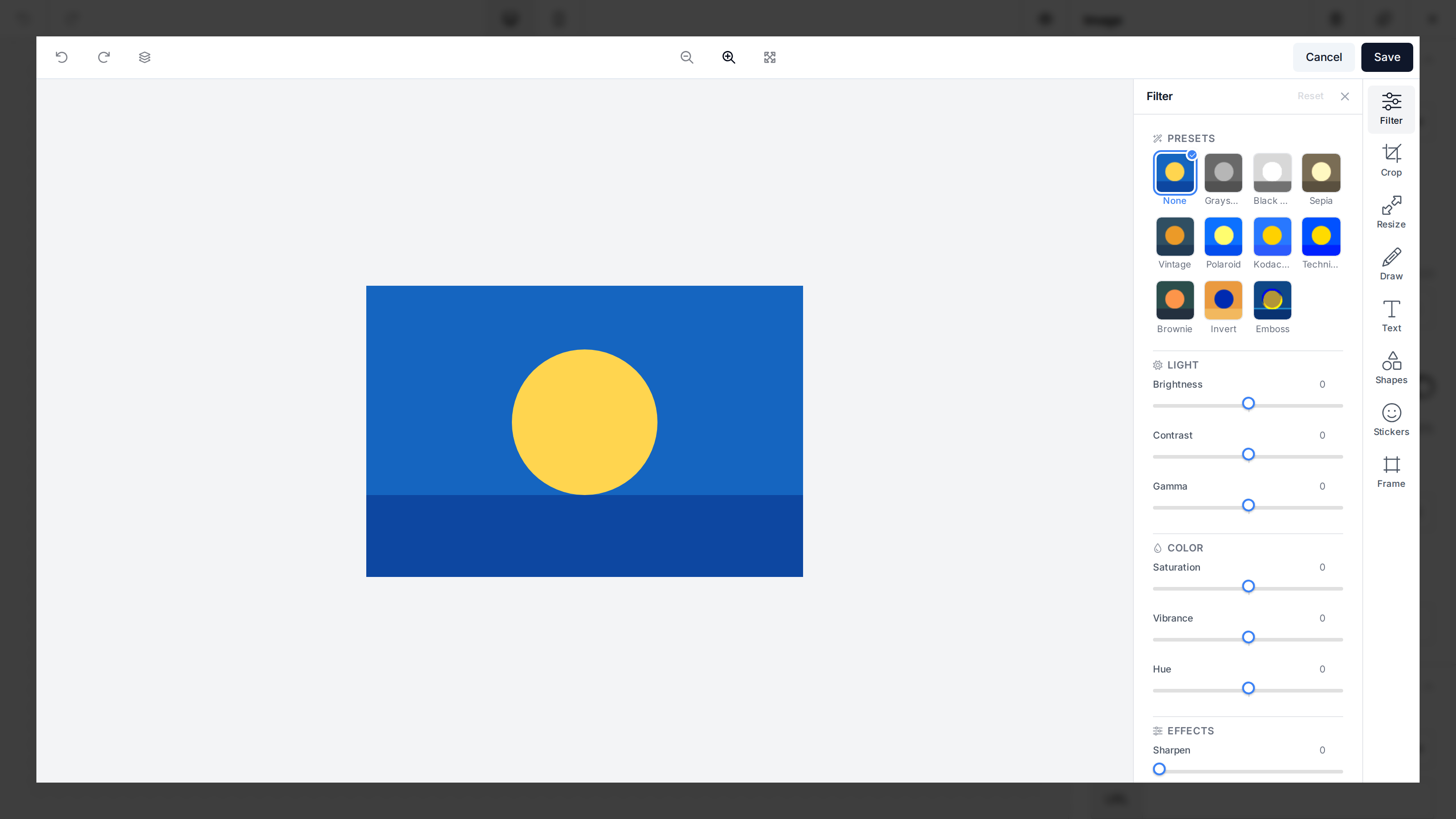
unlayer/react-image-editor is open sourceThe official @unlayer/react-image-editor component loads the standalone Image Editor, mounts it into your React application, and cleans it up when the component unmounts. It requires React 18 or later and Node.js 18 or later.
The component and manual editing tools are free. The optional AI Assistant is a paid feature.
Installation
npm install @unlayer/react-image-editor
Basic Usage
import { useRef } from 'react';
import ImageEditor, {
  type ImageEditorRef,
  type ImageEditorSaveResult,
} from '@unlayer/react-image-editor';

export default function ImageEditorComponent() {
  const imageEditorRef = useRef<ImageEditorRef>(null);

  const saveImage = async ({ blob }: ImageEditorSaveResult) => {
    const formData = new FormData();
    formData.append('file', blob, 'edited.png');

    await fetch('/api/images', {
      method: 'POST',
      body: formData,
    });
  };

  return (
    <ImageEditor
      ref={imageEditorRef}
      image="https://example.com/photo.jpg"
      minHeight="700px"
      options={{
        projectId: 1234, // Replace with your Unlayer Project ID
        theme: 'light',
      }}
      onSave={saveImage}
      onCancel={() => {
        // Close your image editor view
      }}
      onLoadError={() => {
        // The image could not be loaded because of CORS, a 404, or a decode error
      }}
      onError={(error) => {
        // The embed script or editor instance could not be loaded
        console.error('Image Editor failed:', error);
      }}
    />
  );
}
The image prop accepts an image URL or base64 data URL. The save result contains both a dataUrl for previews or inline use and a blob that is ready to upload.
Configuration
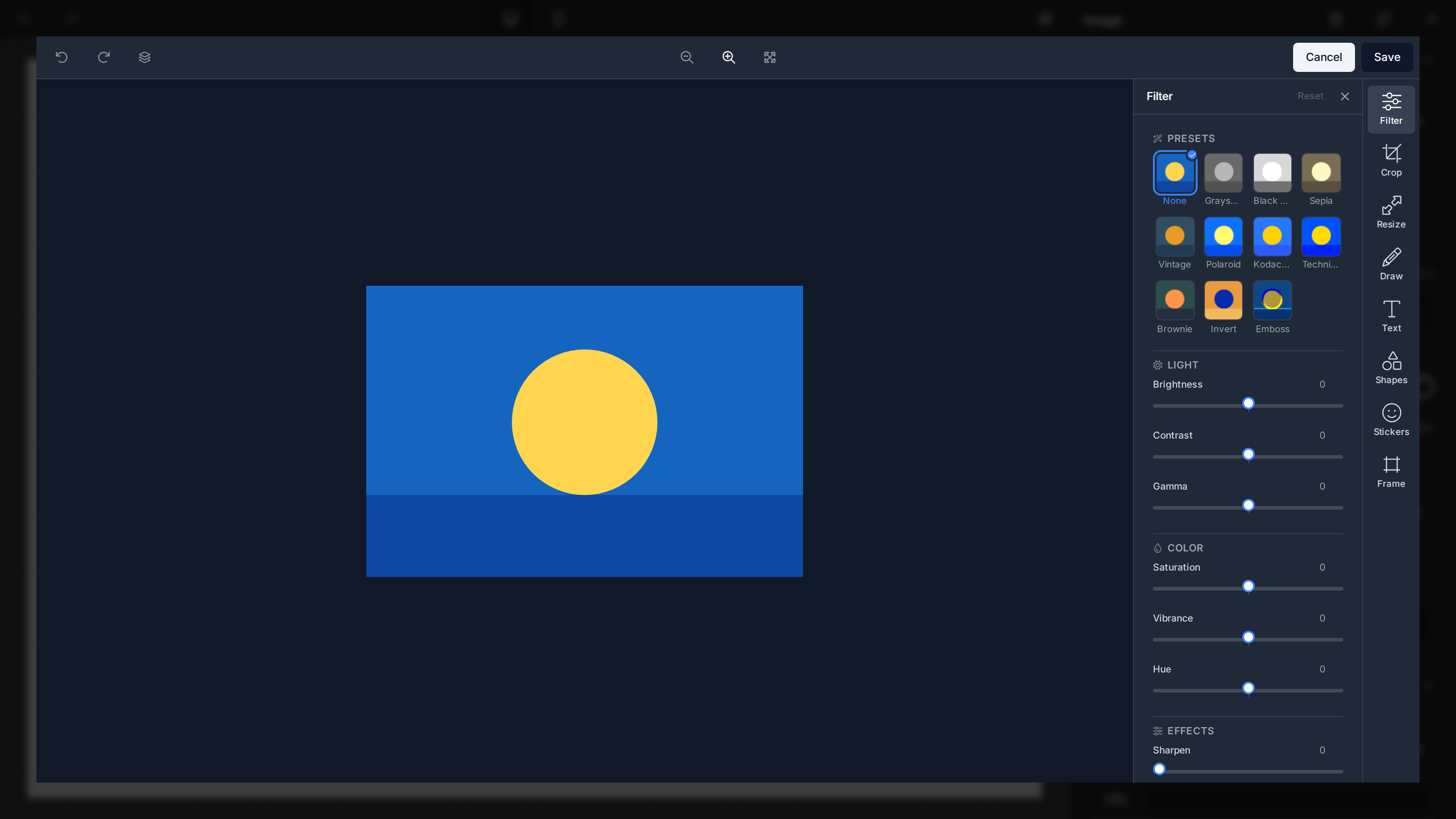
Pass standalone Image Editor configuration through options:
<ImageEditor
  image={imageUrl}
  options={{
    projectId: 1234,
    user: { id: 'user-123' }, // Attributes AI edits to this user
    theme: 'dark',
    locale: 'fr',
    features: {
      imageEditor: {
        tools: {
          draw: false,
          stickers: false,
        },
      },
      ai: {
        enabled: true,
        assistant: true,
      },
    },
  }}
/>
Newer editor builds also support features.imageEditor.dock and features.imageEditor.tools.corners. These fields type-check once your installed @unlayer/types version includes them.
See Configuration for tools, icons, theme, and localization, and AI Assistant for AI setup.
Props
| Name | Type | Description | Default |
|---|---|---|---|
image | string | Image URL or base64 data URL to edit. Required. | |
options | ImageEditorOptions | Standalone editor options such as projectId, features, theme, locale, and translations. | {} |
editorId | string | ID applied to the container element. The editor mounts by element reference, so this is primarily cosmetic. | |
minHeight | number | string | Minimum height of the outer editor container. | 500 |
style | React.CSSProperties | Inline styles applied to the inner editor container. | {} |
scriptUrl | string | Advanced override for the image-editor embed script URL. Use one script URL across all instances on a page. | CDN URL |
onLoad | (editor) => void | Called with the editor instance after it mounts. | |
onSave | (result) => void | Called with { dataUrl, blob } when the user saves. | |
onCancel | () => void | Called when the user cancels editing. | |
onLoadError | () => void | Called when the image fails to load into the canvas. | |
onError | (error: Error) => void | Called when the script, editor creation, or an image reset fails. |
onLoadError and onError cover different failures: use onLoadError for an image that cannot be decoded or fetched, and onError for wrapper-level loading or lifecycle failures.
Editor Instance
The forwarded ref exposes { editor }. It is null until the editor mounts:
const dataUrl = imageEditorRef.current?.editor?.getImage();
const hasUnsavedChanges = imageEditorRef.current?.editor?.hasChanges() ?? false;

await imageEditorRef.current?.editor?.reset(nextImageUrl);
imageEditorRef.current?.editor?.updateOptions({ theme: 'dark' });
| Method | Description |
|---|---|
getImage() | Returns the flattened canvas as a data URL, or null. |
hasChanges() | Returns whether the editor has unsaved edits. |
reset(imageUrl?) | Clears history and AI chat, and optionally loads another image. |
updateOptions(options) | Updates editor options at runtime. |
destroy() | Unmounts the editor. React calls this automatically when the component unmounts. |
Updating Props
The wrapper applies prop changes according to their impact:
| Change | Behavior |
|---|---|
image | Calls reset(newImage) and clears undo/redo history and AI chat. |
options.theme, locale, or translations | Calls updateOptions() without remounting, preserving editor state. |
Any other options value | Destroys and recreates the editor, discarding unsaved changes. |
scriptUrl | Remounts the editor; do not mix URLs because the page's first installed embed wins globally. |
| Callback props | Uses the latest callback without remounting. |
Rapid image changes are serialized and collapse to the latest value, so an earlier image load cannot overwrite a newer one.
Next.js and React Server Components
The package ships as a client component and only accesses the DOM from effects, so it can be imported directly in Next.js App Router and other React Server Components environments.
For a complete runnable example, see the react-image-editor demo.